The FotoPal apps
The real estate photographer app for iPhone, iPad, Apple Watch and CarPlay.
The studio runs on the web. The shoot day runs on your phone. FotoPal Studio puts today’s shoots, bookings, listings and the owner’s dashboard on iPhone and iPad — with Apple Watch and CarPlay built in — so you and your photographers can run the business from the car, the driveway or the kitchen bench.
FotoPal Studio · iPhone and iPad · On the App Store
Run the shoot day from the driveway.
For studio owners and the photographers who work for them. Everything you used to text, ring or look up at night is in one app, so the day runs on time and the paperwork is done before you get home.
 Coming soon to Google Play
Free to download. Sign in with your FotoPal account — owners invite their photographers.
Today, in order. Every shoot with the address, on-site contact, access notes, services and a shoot checklist. Directions open in Apple Maps or Google Maps in one tap, with an estimate of the next drive.
A record of every visit. Tap Arrived and Departed, or switch on suggestions and FotoPal offers them as you reach the property. You confirm each one, and it is timestamped against the booking.
Mileage that adds itself up. Start and end the day from home, or from where you are staying overnight, so the log includes the first and last legs. Forgot to tap? Add the missed event afterwards.
Capture and upload on site. Bracketed sets of three or five frames with a level, a grid and the ultra-wide lens, reviewed and sent straight into the listing for editing — before you have left the driveway.
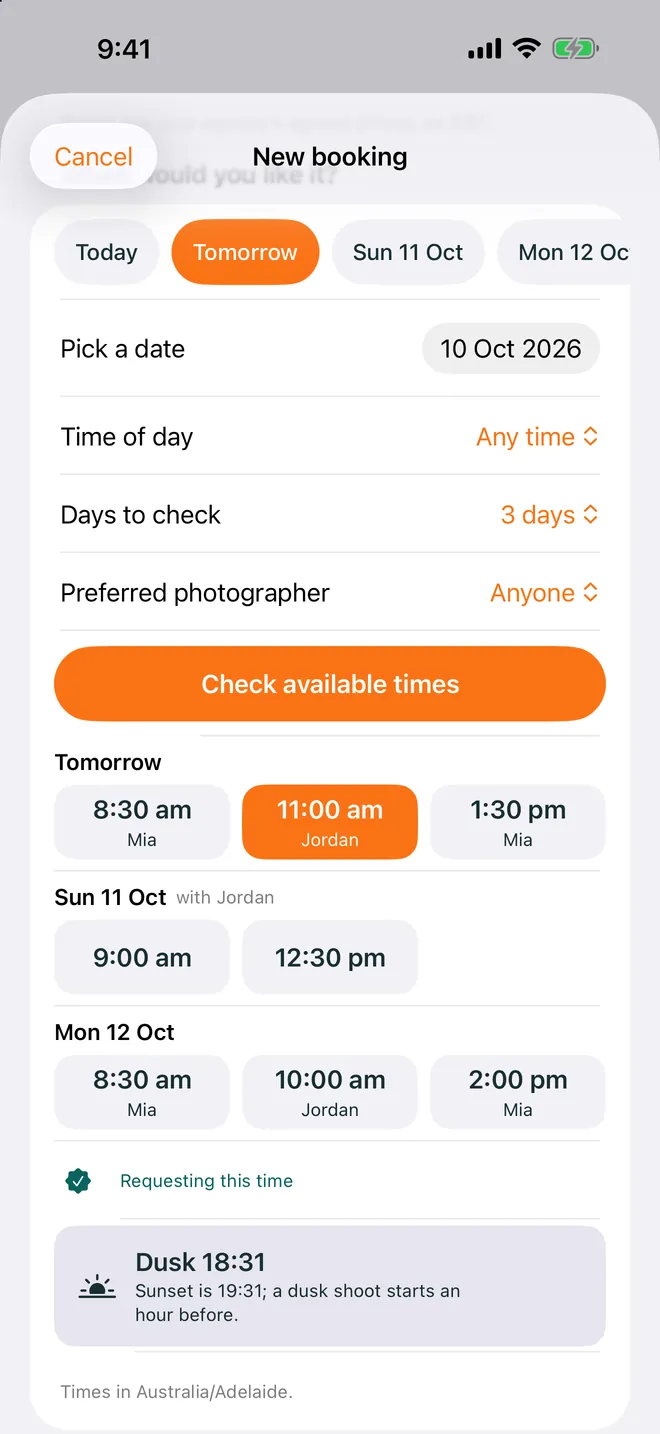
Bookings without the laptop. Browse the schedule, create a booking with the right services, add-ons, photographer and time, and approve, reschedule or reassign requests from the car.
The business at a glance. For owners: shoots in the next seven days, outstanding invoices by client, requests waiting on you and galleries ready to publish or schedule. Ask the FotoPal assistant about your schedule — any change it suggests waits for your approval.
No signal, no problem. Rural block, basement car park: updates wait safely on the phone and sync when you are back online.
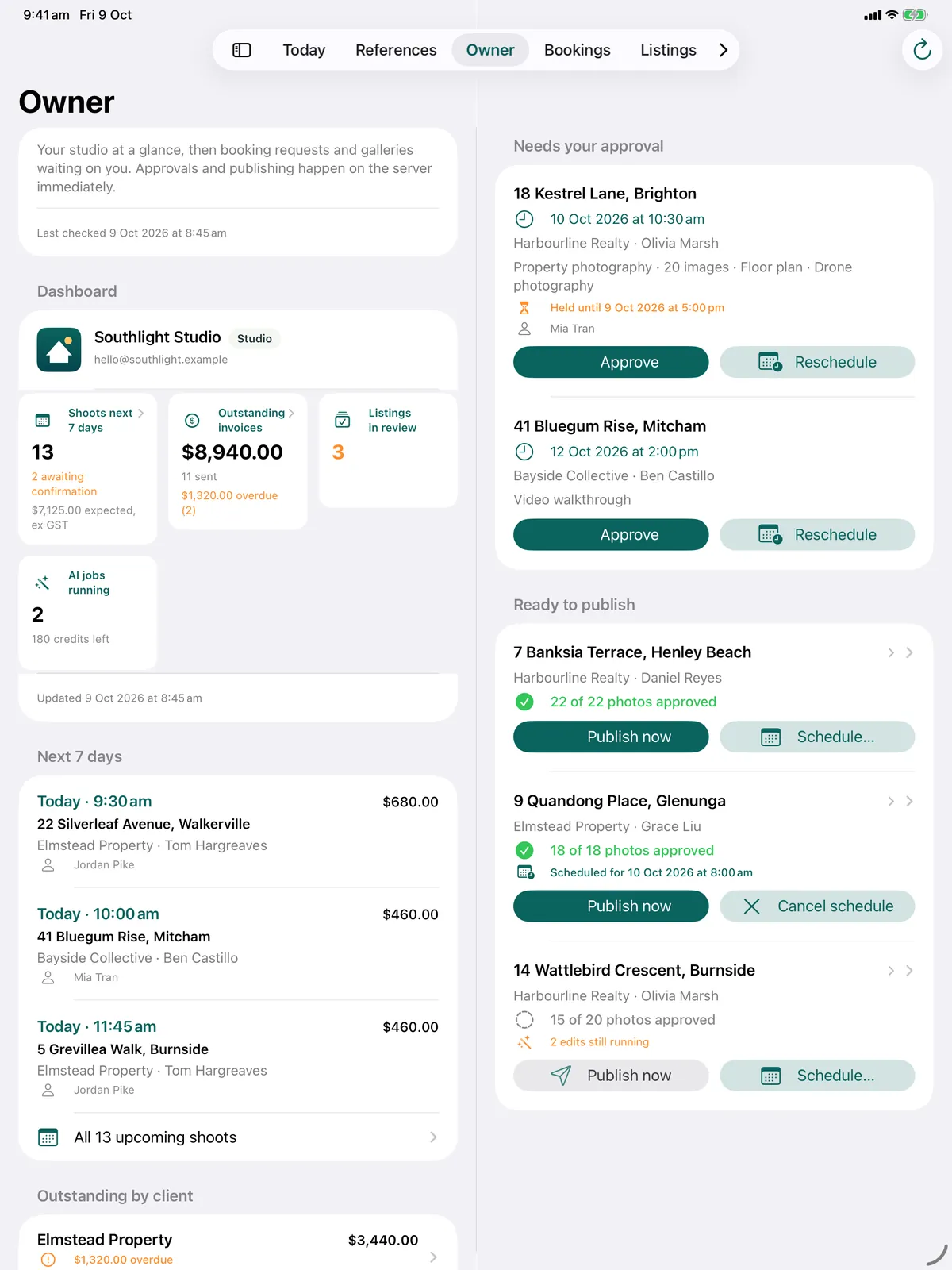
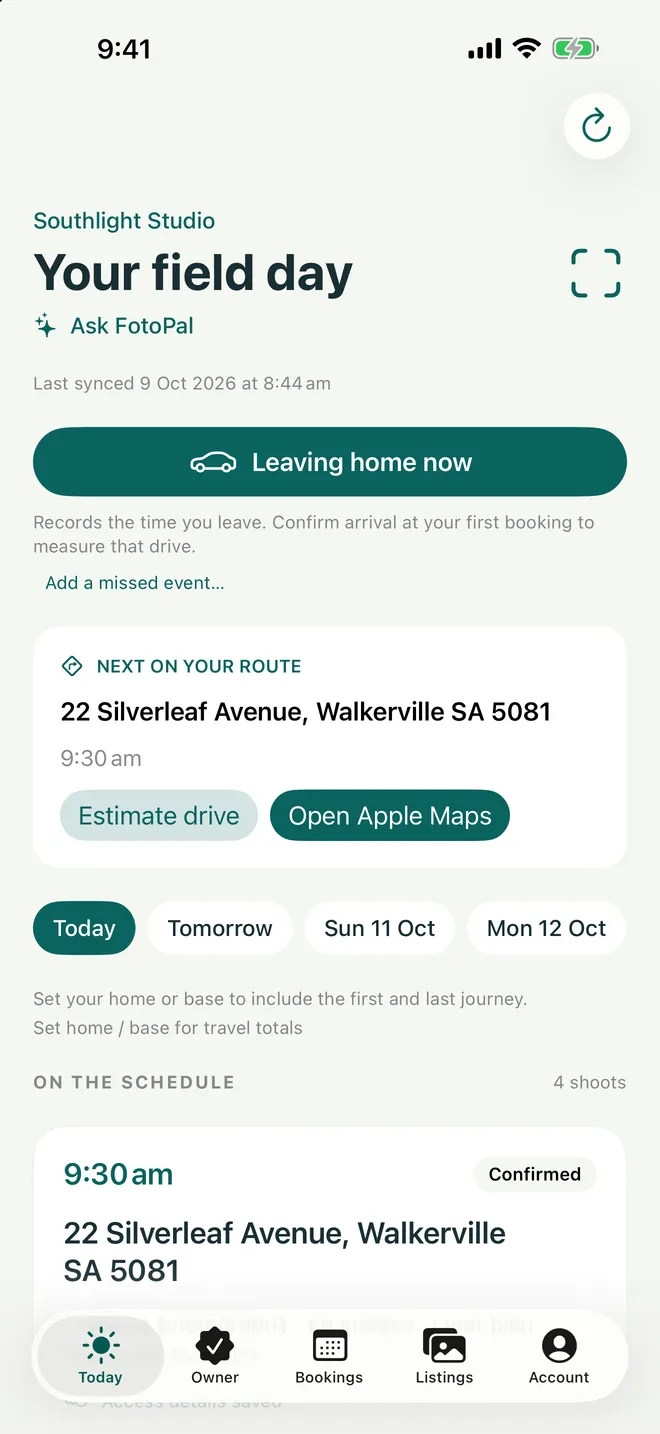
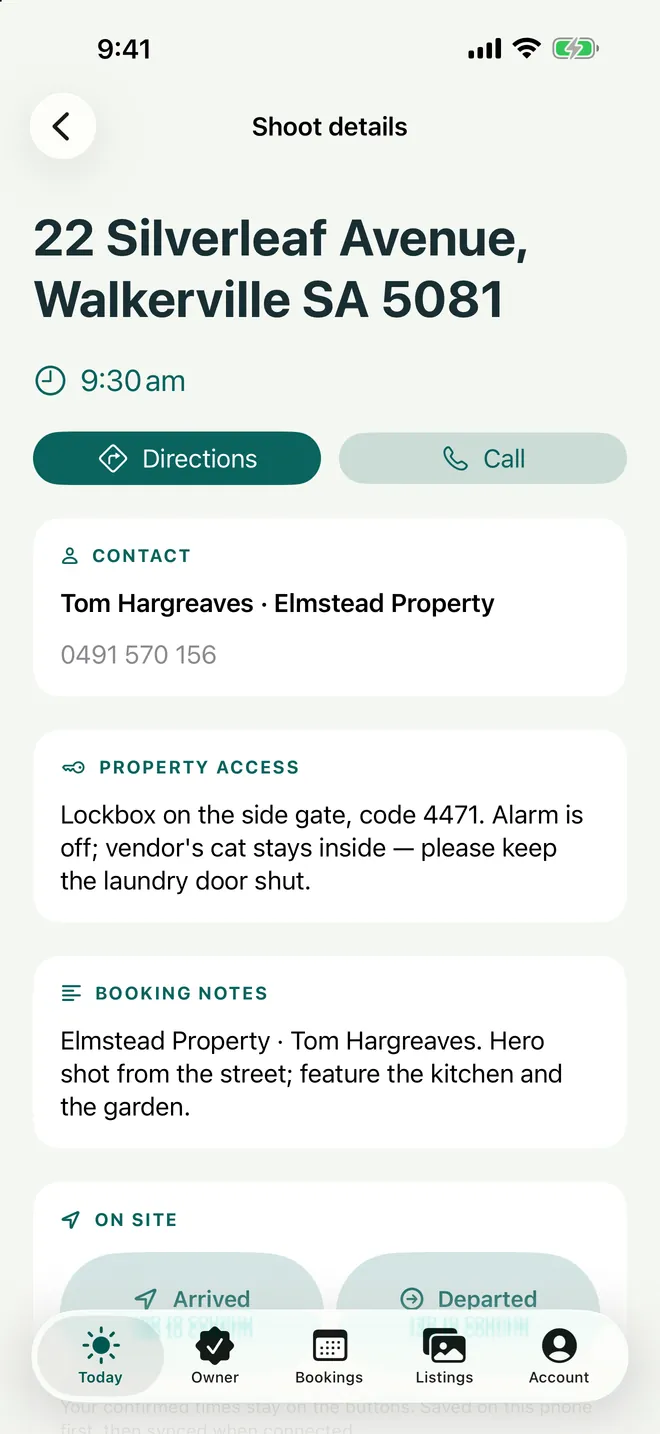
Shoot details
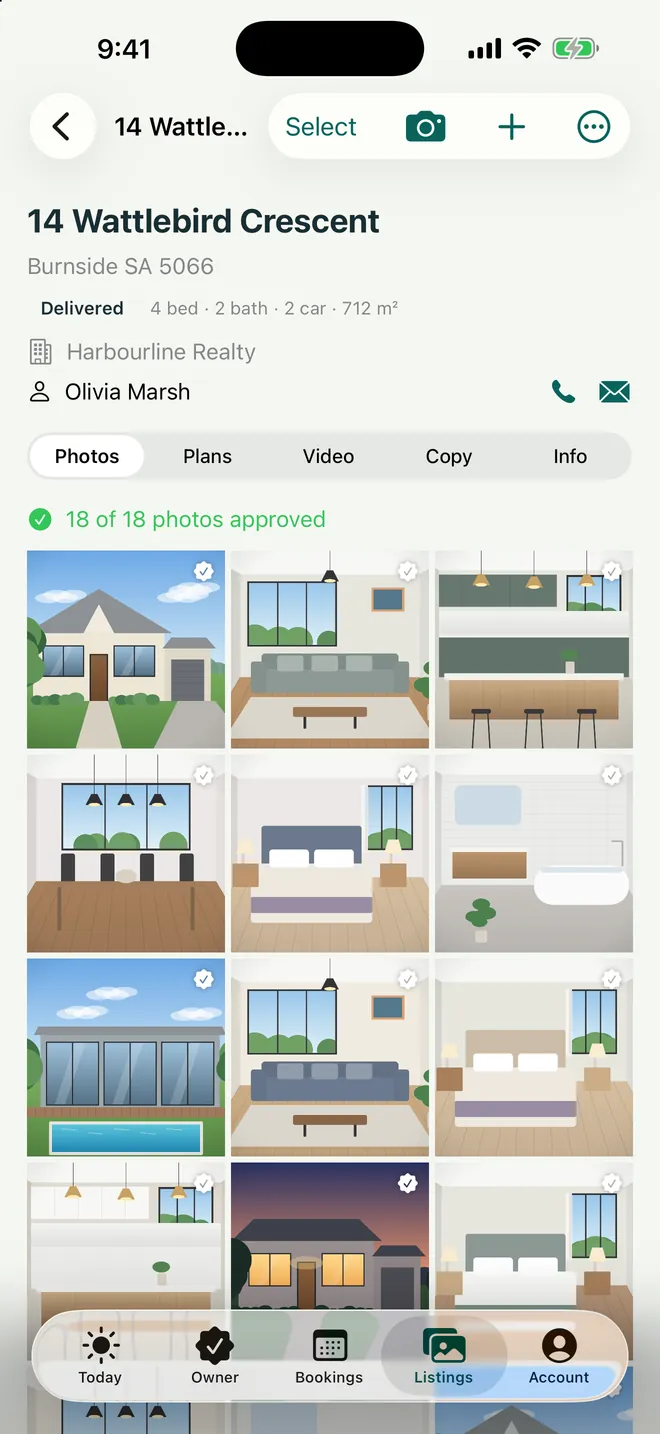
Listings
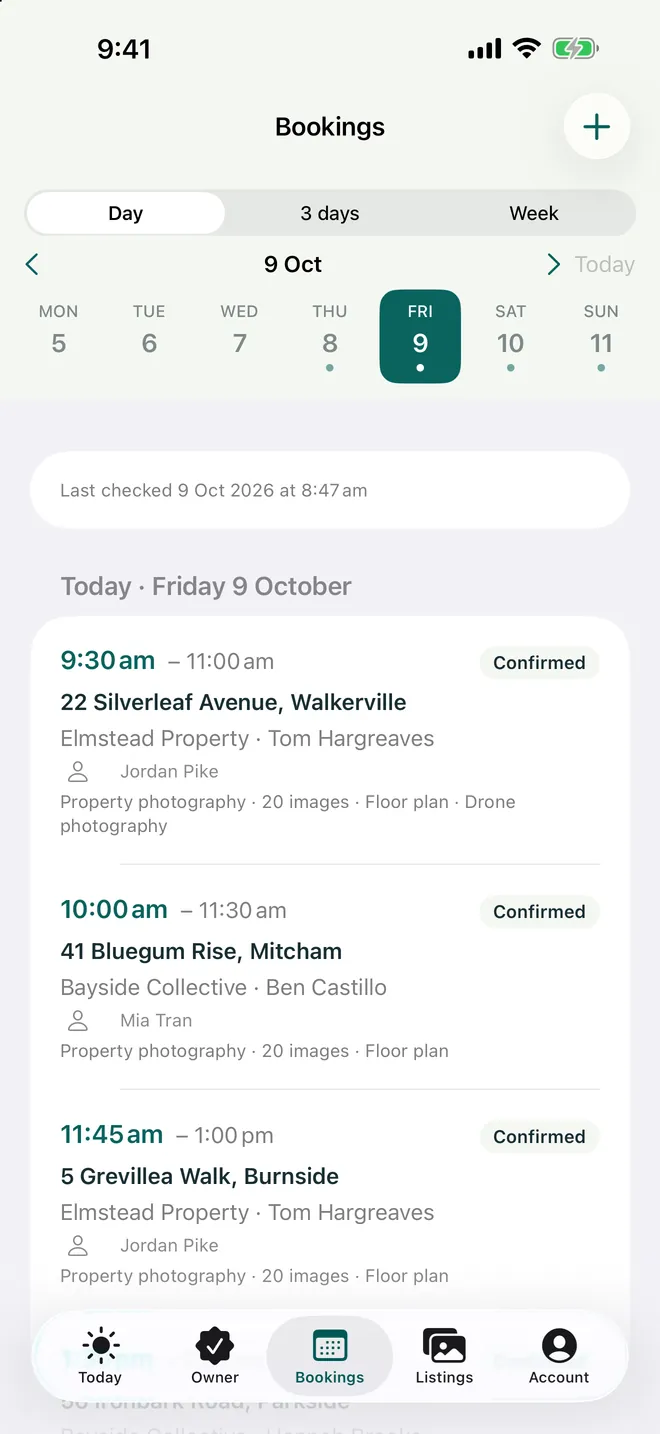
Bookings
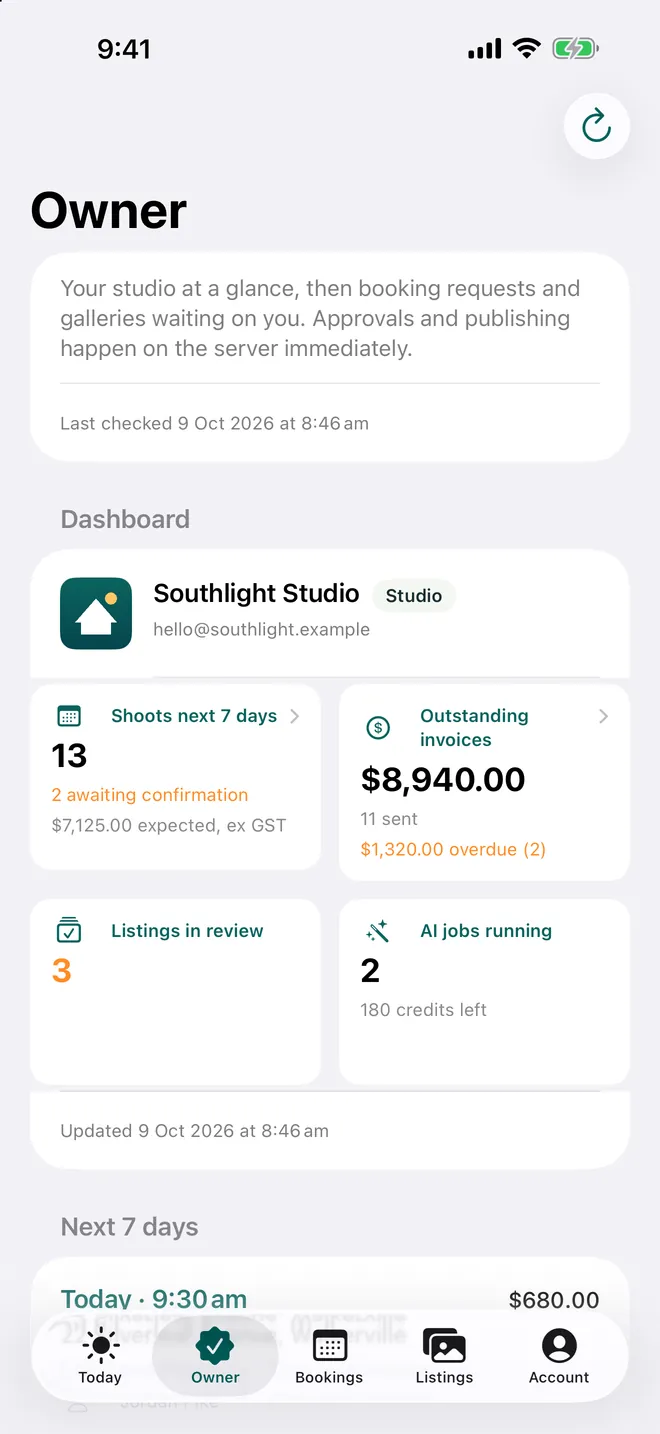
Owner
Apple Watch · Included with FotoPal Studio
The day on your wrist.
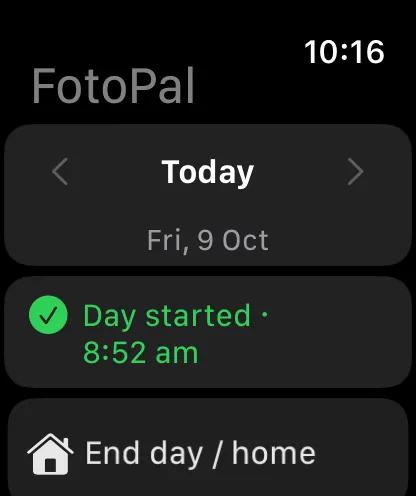
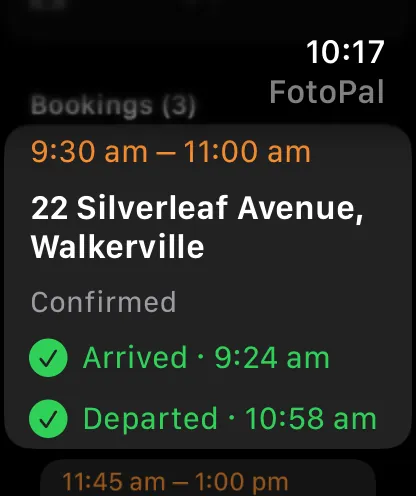
Today’s shoots — and the days either side — with the time, address and status. Start the day as you leave home, tap Arrived and Departed at each property, and end the day when you’re back. The phone stays in your pocket and the camera stays in your hands.
Install it from the Watch app on the iPhone running FotoPal Studio.
A bonus · CarPlay
Your field day on the car’s screen.
Most of a real estate photographer’s day is spent driving between properties. FotoPal Studio puts that day on the dashboard, so getting to the next job — and proving you were there — takes a tap.
The day in order. Start the day, then each property in turn: directions, arrival, departure. Done items move to the bottom.
Turn-by-turn to the next property. One tap opens Apple Maps or Google Maps with directions to the next shoot, and home at the end of the day. Set it to open as you leave a property and you never sit in a driveway typing an address.
A record of when every property was attended. Confirm Arrived and Leaving on the car screen. Each is timestamped, saved to the booking and synced to the studio — and the drives between them land in the mileage log.
Made for driving. Large rows, nothing to type, and a confirmation before anything is recorded. Sign in on the phone while parked; the car shows the rest.
Included with FotoPal Studio on iPhone. No extra download.
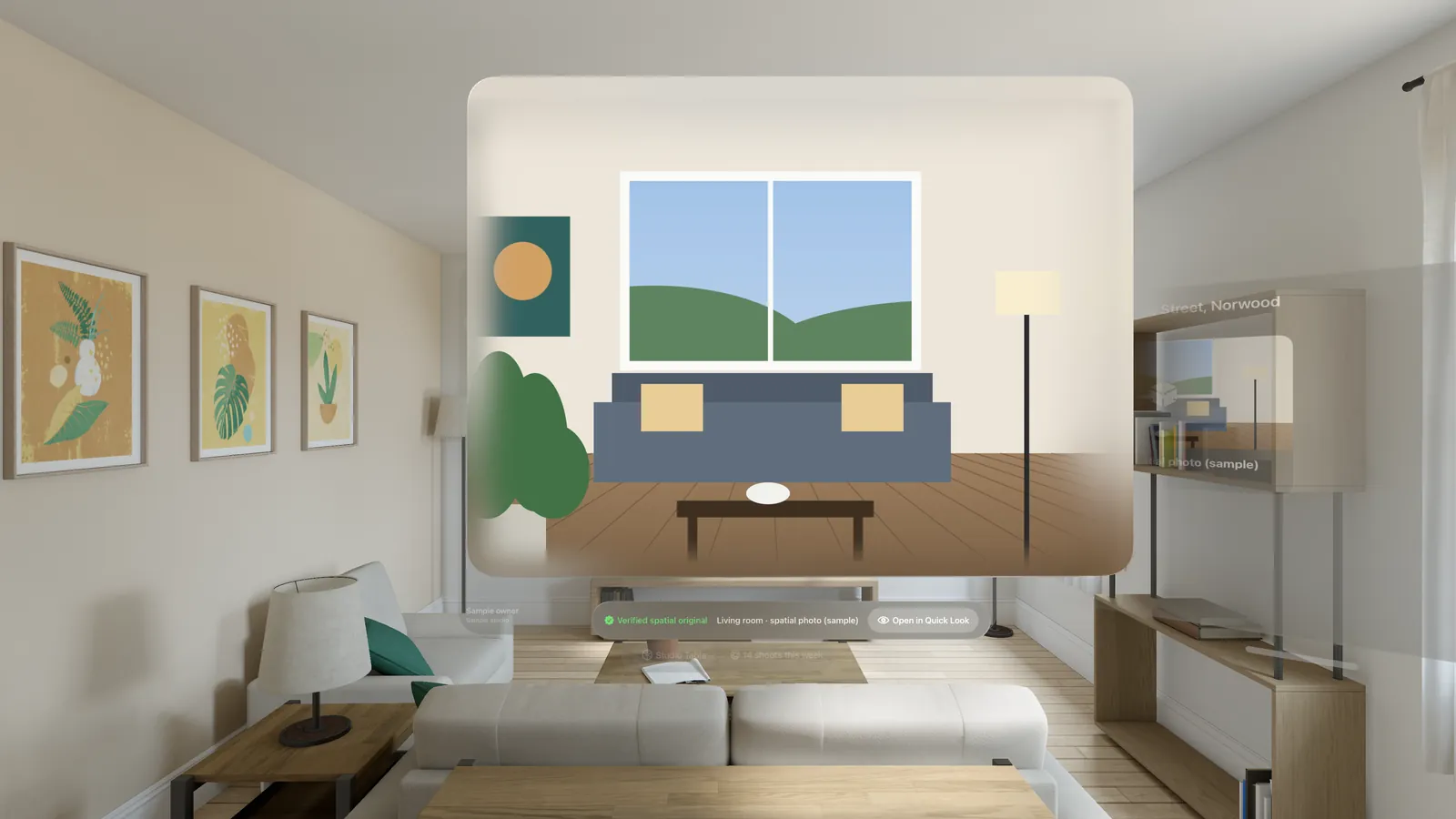
Spatial photos and video
Ready for spatial.
Offer agents something the house down the road doesn’t have: a listing they can stand inside. FotoPal looks after spatial files properly, from the phone to the headset.
Capture it in FotoPal Studio. Record spatial video in the app on an iPhone that supports it (iPhone 15 Pro or later). Spatial photos come from the iPhone Camera app and import straight into the listing — and spatial photos and video from any source can be uploaded on the web.
Kept byte for byte. Stored as their own kind, never resized, re-encoded, AI-edited or flattened to a single view.
Checked when they arrive. FotoPal reads every file to confirm both views are really there, and records a SHA-256 fingerprint of the original.
Viewed in depth, kept apart. Spatial files sit in their own section, separate from the 2D gallery, portal sizes and downloads — and open in depth on Apple Vision Pro in FotoPal Vision.
Reference photos
The photos that never go in the gallery.
Not every photo is for the listing. Take a reference photo in FotoPal Studio, or upload one on the web, and it is filed against the property for the people who need it — for a reason.
Keys left on site
Where the key went, so the next person — or the agent — finds it first time.
Property condition
The state of the place when you arrived, with the time it was taken, before anyone asks.
Tanks, bores and windmills
Rural features recorded where they stand, with the GPS location when you choose to add it.
General site notes
Anything worth remembering about the property, with a caption describing the location or condition.
From the office
Maps, access notes, condition photos and PDFs uploaded on the web, ready for the photographer on the day.
From the agent
Title plans, maps and access documents sent with the booking, straight to the photographer.
Private by default. References are never delivered to the client unless the studio chooses to share one, and FotoPal asks you to check it for keys, access details and GPS first.
Time and place, when you want them. The capture time is recorded; GPS is added only when you choose, with an optional coordinate stamp on the photo itself.
FotoPal Agent · iPhone and iPad · For your agents
Fewer phone calls. More bookings.
Your agents get their own app. Every booking they make themselves is a call you didn’t take from the roof, and every gallery they can find is a text you don’t answer at 9pm.
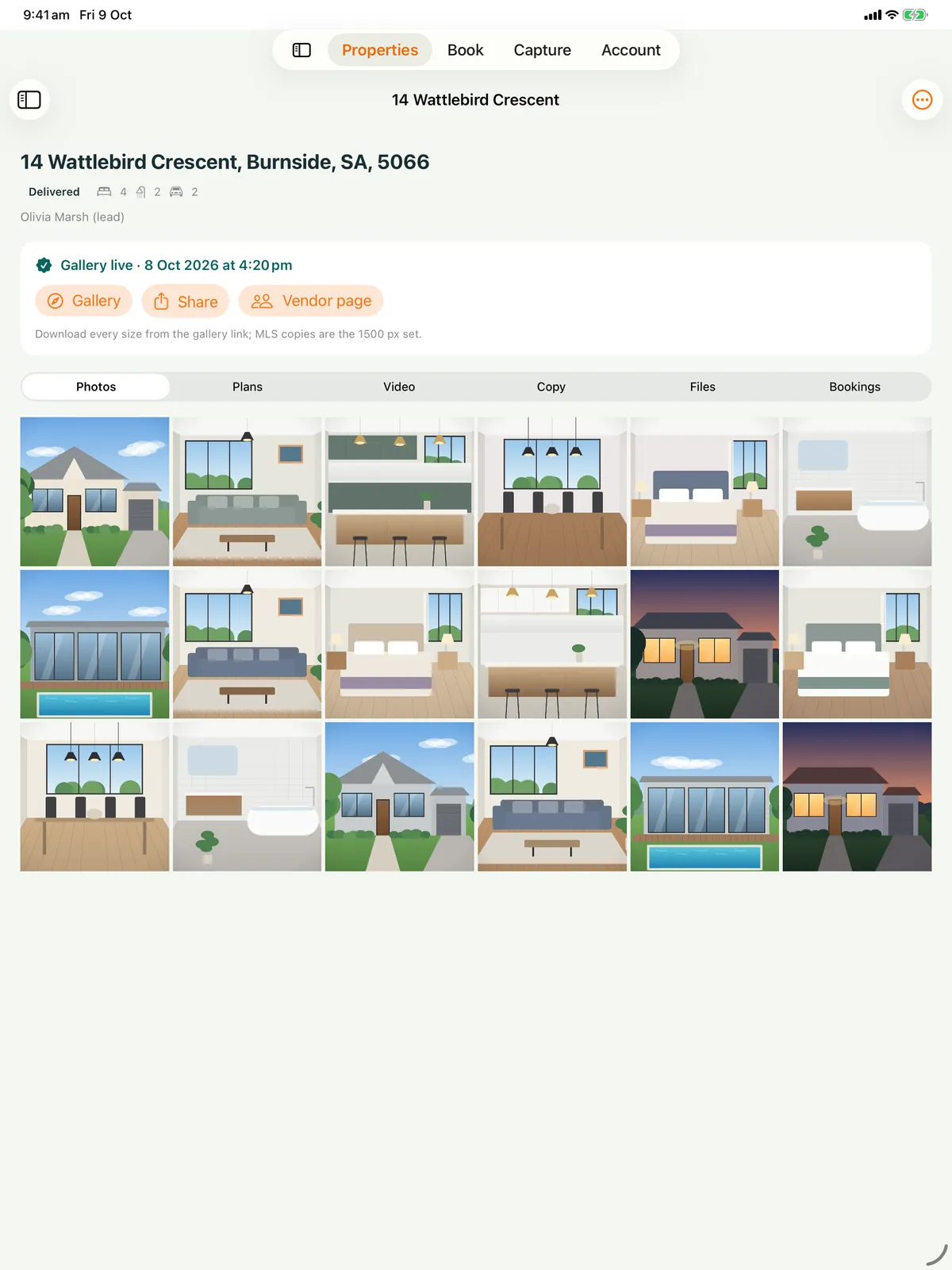
Every property, everything delivered. Photos, floor plans, video, listing copy and documents the moment the studio delivers them, ready to show a vendor or share the gallery link.
Book against your real availability. Agents choose their services, see the times that are actually free — dusk included — check the request summary, and send it. The slot is held while you confirm.
Change it themselves. Ask for another time or withdraw a request from the app, without a phone call to you mid-shoot.
Documents to the photographer. Title plans, maps and access notes arrive with the booking, private to the studio until you share them back.
Shoot it yourself. When your studio offers it, agents photograph a property with a guided shot list; the studio enhances every photo, and the agent publishes the gallery when it looks right.
FotoPal Vision · Apple Vision Pro
Your studio, around the room.
A spatial workspace for the studio. Open a job and its photos, floor plan and video are laid out around your room. Explore a 3D floor plan. See the week on the Studio Table, the day’s routes on the Map Table, and listings in spatial photos.
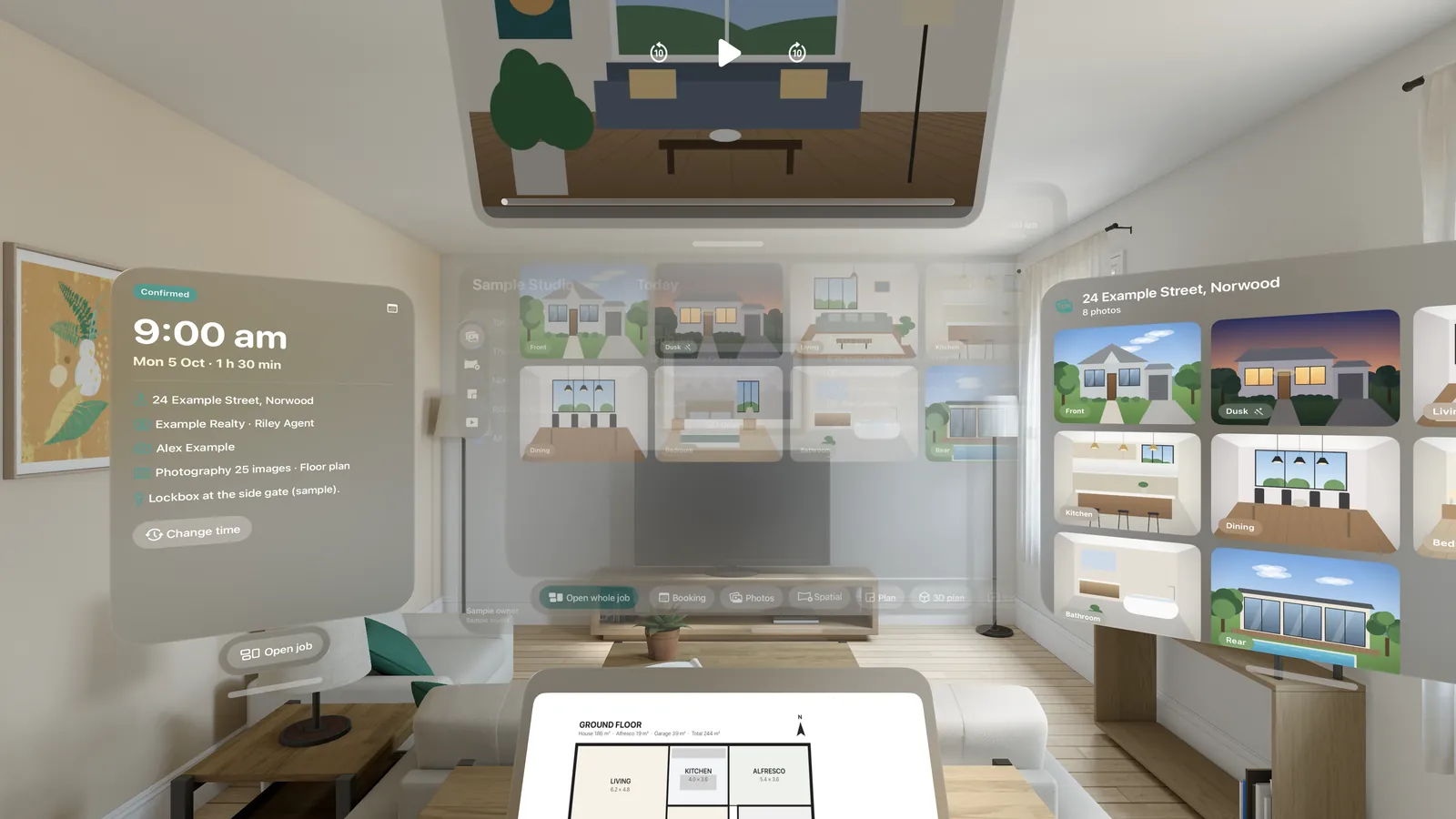
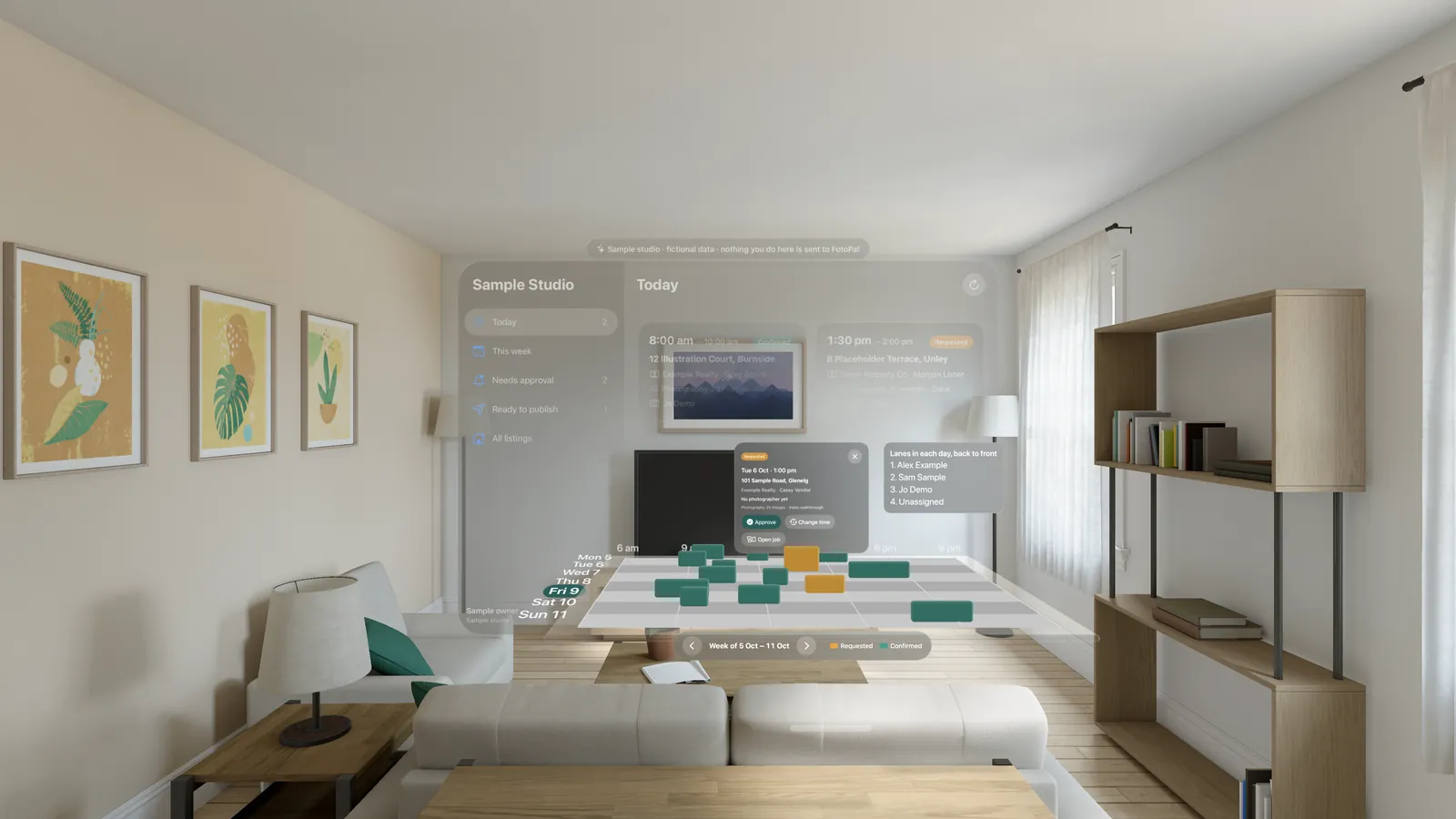
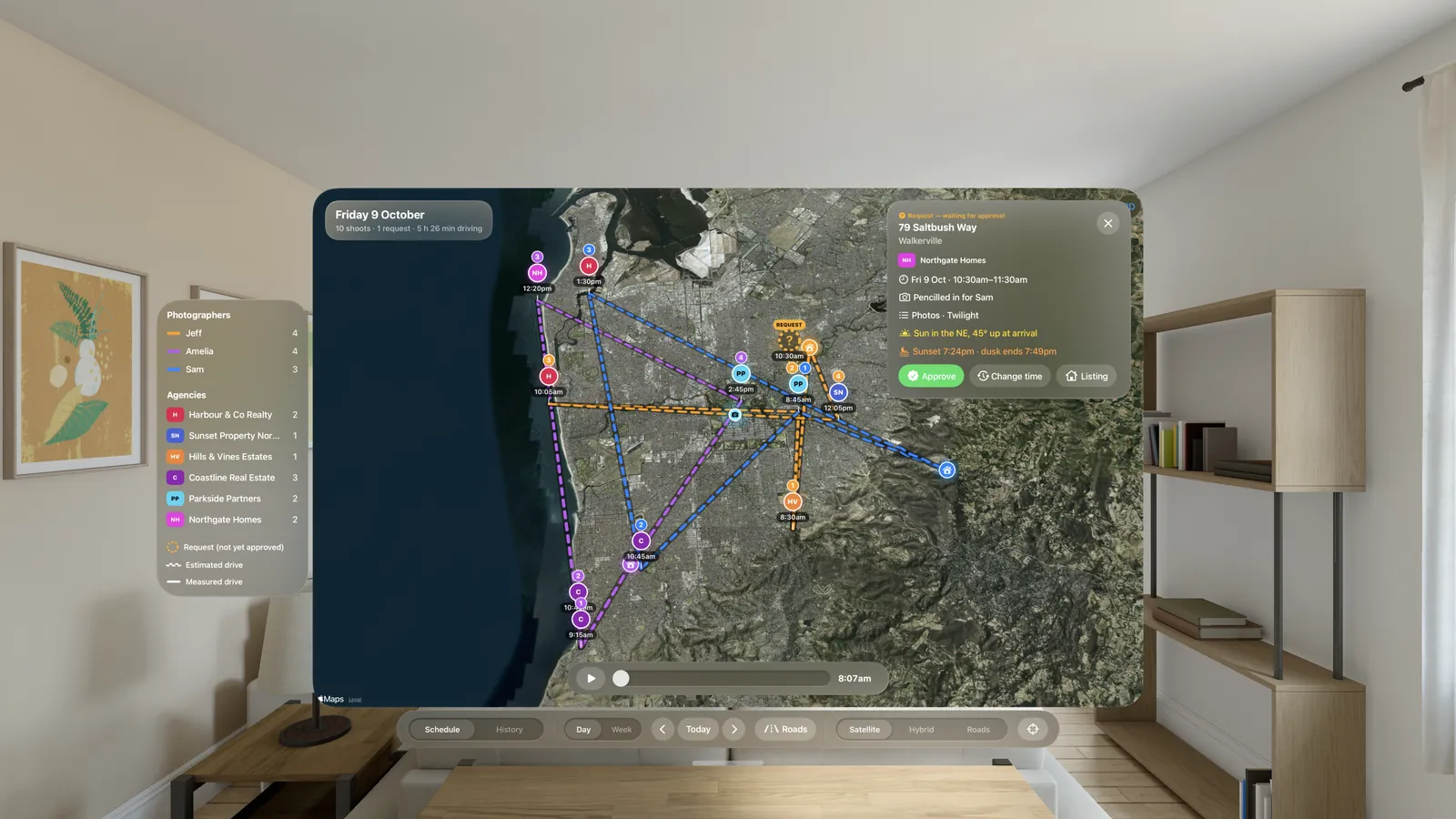
Captured in the Apple Vision Pro simulator with a sample studio.
Questions
The apps, plainly
Which devices does FotoPal run on?
FotoPal Studio runs on iPhone and iPad (iOS 18 or later) with Apple Watch (watchOS 10 or later) and CarPlay built in, and it works offline. FotoPal Agent for iPhone and iPad is coming soon to the App Store, and FotoPal Vision is on the App Store for Apple Vision Pro. The studio itself runs in any browser, so office staff and agents need nothing installed.
Is there an Android app?
Not yet: FotoPal Studio and FotoPal Agent are coming soon to Google Play. Today they are native Apple apps for iPhone and iPad, with Apple Watch and CarPlay inside the Studio app. Everything else, from the dispatch board to the galleries, runs in a browser on any device, so an Android phone can still open a gallery, approve a booking request or download the portal-sized files.
Does the app work offline?
Yes. Today's and tomorrow's shoots, with access notes and lockbox codes, are on the phone and the watch before you leave. On a rural block or in a basement car park, arrivals, departures and field notes wait safely on the phone and sync when you are back online. Captured brackets upload when there is signal again.
What does FotoPal Studio do on Apple Watch and CarPlay?
On Apple Watch: today’s shoots with the time, address and status; start the day as you leave home, tap Arrived and Departed at each property, and end the day when you are back. On CarPlay: the field day on the car’s screen, one-tap directions to the next property, and arrival and departure confirmed without typing. Both feed the mileage log.
Does FotoPal support spatial photos and video?
Yes. Spatial video can be recorded in FotoPal Studio on an iPhone 15 Pro or later; spatial photos import from the iPhone Camera app, and both can be uploaded on the web. Files are stored byte for byte, checked for both views on arrival, fingerprinted with SHA-256 and kept apart from the 2D gallery, then viewed in depth in FotoPal Vision.
Is the FotoPal Agent app available?
Not yet: FotoPal Agent is coming soon to the App Store for iPhone and iPad. Until then agents use the same features in a browser. When it ships, agents see every property with photos, floor plans, video and copy the moment the studio delivers them, book against the studio’s real availability with dusk times shown, and send title plans and access notes with the booking.
Does the mileage log need me to do anything?
Only to start and end the day. Begin from home, or from where you are staying overnight, so the log includes the first and last legs; the drives between properties come from your Arrived and Departed taps on the phone, the watch or the car screen. Forgot one? Add the missed event afterwards. Every event is timestamped against the booking.
Start your free trial — you’re in straight away.
Set up your studio on the web, invite your photographers, and they sign in to FotoPal Studio on their iPhone the same day.
Apple, the Apple logo, iPhone, iPad, Apple Watch, CarPlay and Apple Vision Pro are trademarks of Apple Inc., registered in the U.S. and other countries. App Store is a service mark of Apple Inc. Google Play and the Google Play logo are trademarks of Google LLC.